PerfectTUNES { Help Index > Album Art }
A typical music library has been created over a number of years, from different sources, as a result album art can be missing, incorrect or a low resolution. PerfectTUNES Album Art is the ideal tool to correct these deficiencies, for missing and low-resolution automatically!
When the Album Art program is started it categorizes art into different sections:
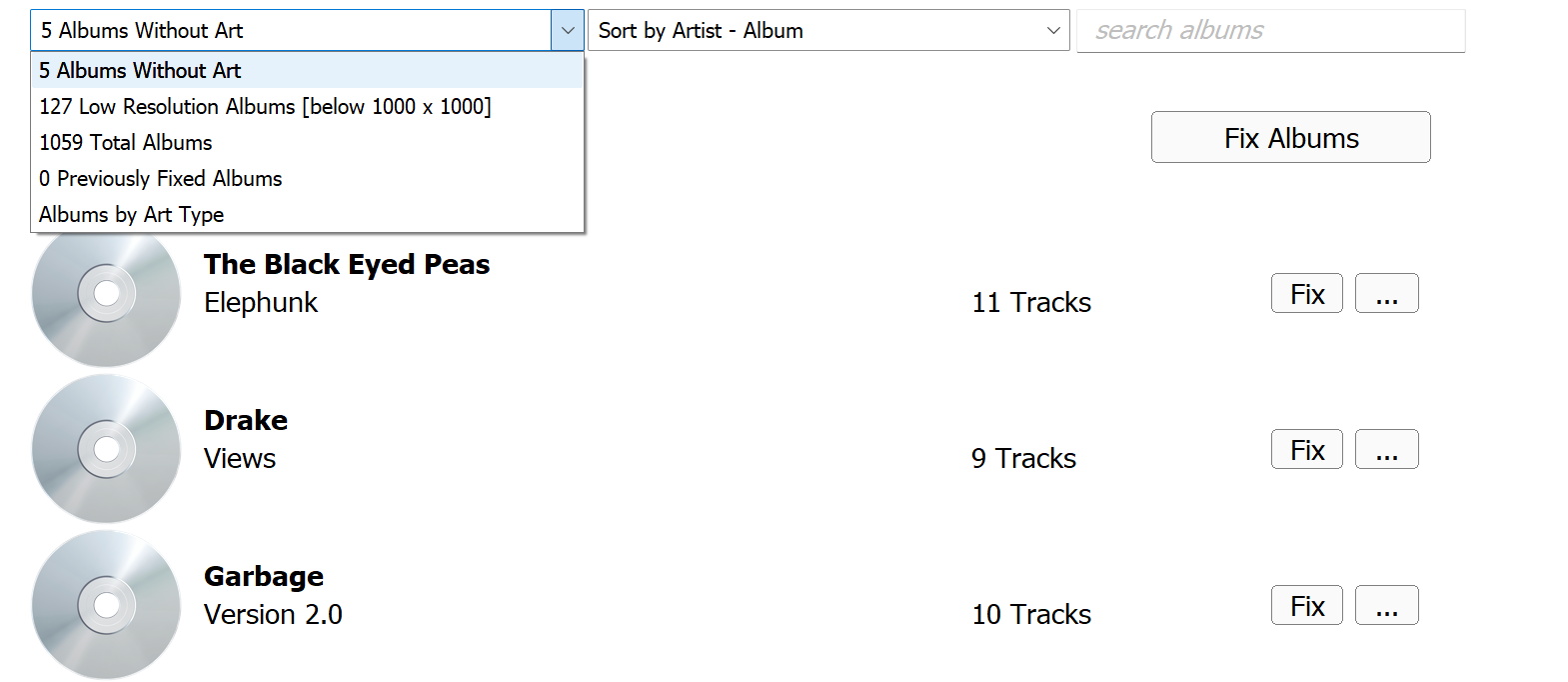
Firstly we add art to those albums without art, simply click Fix Albums.
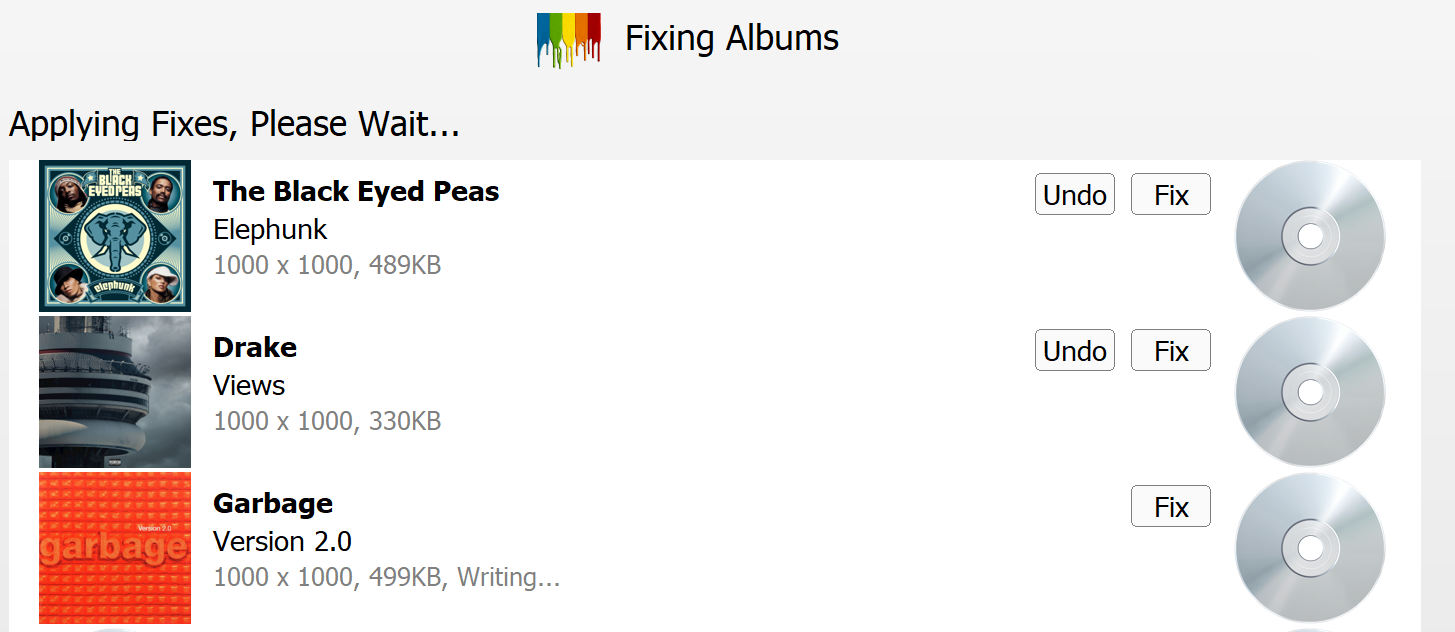
Next Albums with a Low Resolution are also Fixed in the same way.
If the files are stored on a network share the writing of art can take a while, as for many audio formats, such as FLAC or mp3 art is stored at the beginning of the file, so the whole audio has to be read and shuffled.
Manual Corrections
Sometimes an album can have different art in various regions of the world, or just be wrong. All albums can be listed and individual albums corrected by clicking Fix, a search will take place using the Internet:
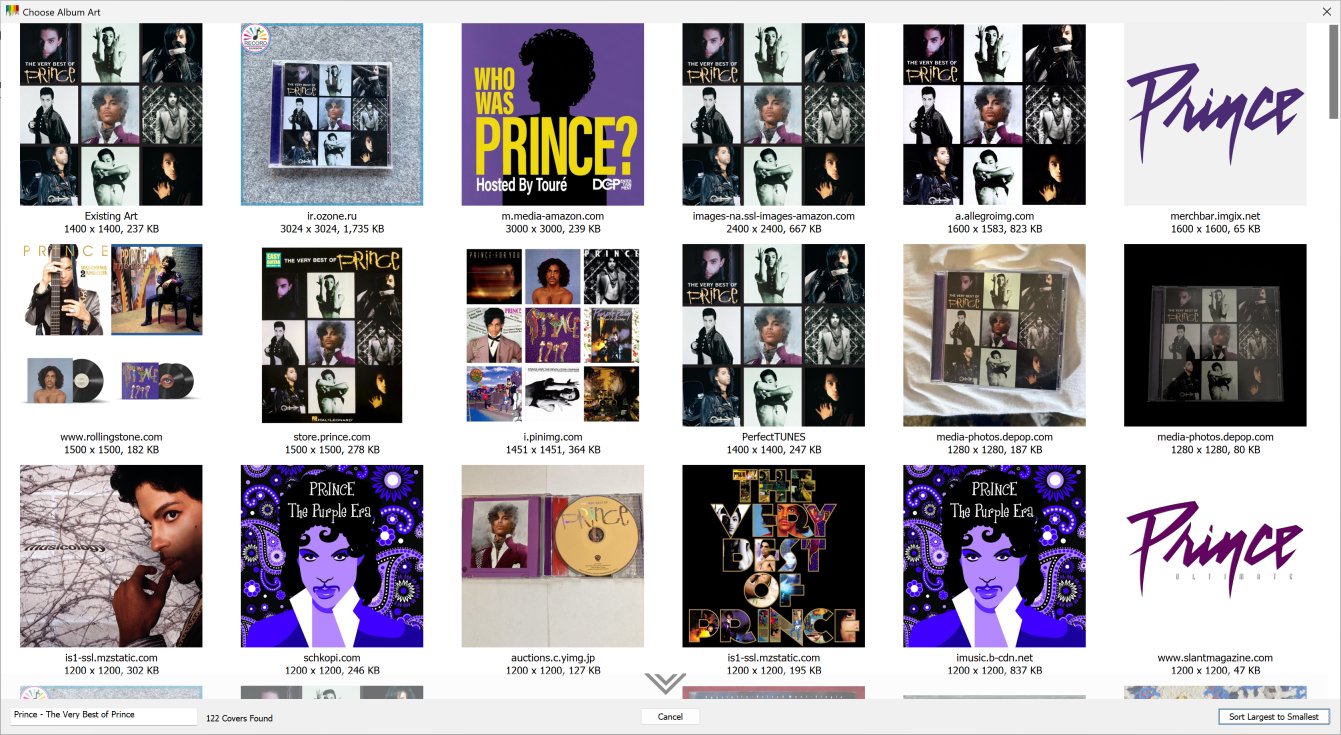
Different arts are presented, choose an art to make a selection. If no albums are found, it is possible the artist or album name are incorrect (or have extra information on the end which is not needed such as Special Edition), the box in the lower left contains the search term, it can be edited, after changing wait a few seconds for art to reload.
The '...' menu next to Fix, allows the album to be shown in Windows Explorer / macOS Finder, art to be loaded from a file, clipboard or scanner. In addition Folder.jpg can be exported or imported from the audio tracks (in the same folder as the album).
Albums by Art Type
This option lists art by the type (JPEG, PNG, etc), any art stored as Bitmap (BMP) needs to be updated with a compressed format. Also art which is non-square can be listed, or inconsistent art, that is where all the files of an album contain not the same artwork.
Options
The spanner icon in the top corner gives access to the following options.
Maximum Art Size specifies maximum art to be written, by default 1000 x 1000, a lower value would be used if a player was incompatible with large album art. A KB size limit can also be set.
Embed Art places art inside of the audio tracks (embedded), default on.
Preserve Modified Date on Tag Write keeps the last written date the same, note programs which use this date to know of changes to the files would not know, default off.
Export Art To allows the art to be written to an external file, Folder.jpg is used by default for maximum compatibility. Your albums should be kept in separate folders for each album.
Enable Undo Changes old album art is preserved allowing an Undo Fix button to be shown, restoring the original art. Default on.
Low Resolution Defined as can set what is defined as low resolution, by default anything under 1000 x 1000.
Separate multi disc albums, allows art to be set individually for box sets, default off.