
dBpoweramp [Multi Encoder]
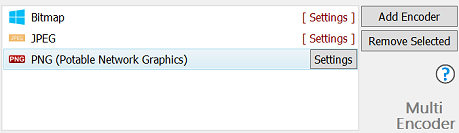
Multi Encoder is able to encode to two or more images formats simultaneously.
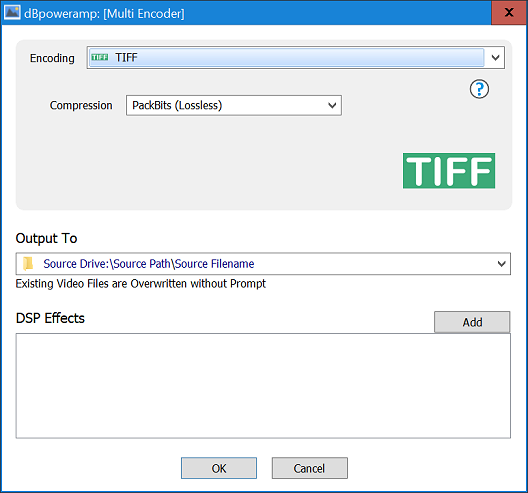
Compression Options
Add Encoder adds a new encoder, the encoder selection page is very similar to Image Converters:
Output To sets the folder and file naming converted files are saved:
DSP Effects just as with Image Converter DSP effects, or actions can take place whilst converting.
- Existing Source Folder: converted images are written to same folder as the source file,
- Single Folder: all files written to a single folder of your choosing,
- Preserve Source Path: allows the selection of a base drive or folder, into which the full source path is added and source filename,
- Edit Dynamic Naming substitutes programmable elements, dynamic is very flexible. Further Naming Details
Copyright © illustrate All Rights Reserved