dBpoweramp Music Converter { Help Index > FLAC Lossless Codec }
FLAC is the most popular lossless codec, lossless meanings no audio quality is lost whilst compressing (unlike lossy codecs such as mp3 which throw audio data away). Audio compressed with a lossless codec will
be decoded identical to the source, think of it as zip for audio. All lossless codecs compress around 2:1 at best, a 3 minute audio track will be around 18 MB.
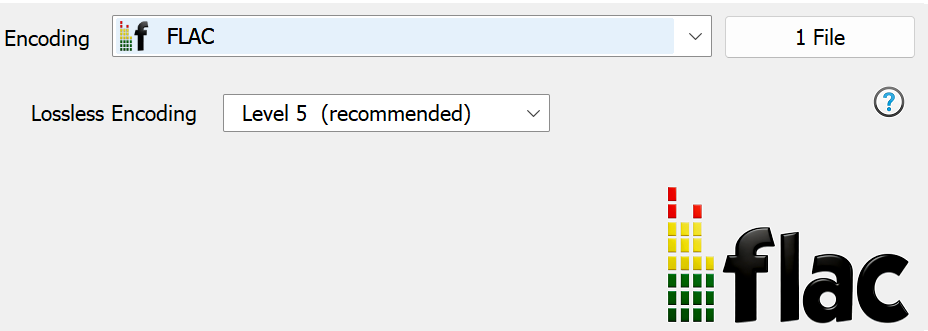
Being a lossless codec there is only one option to set when compressing to FLAC: Compression affects how much effort goes into compressing the audio.
All compression modes give the same decoded audio (it is lossless after all), the higher compression levels will give a small % file size saving, but will require more time to compress and decompress.
Compression Level 0 requires the least compression time, whilst Compression Level 8 the most. Uncompressed is a special compression mode with stores 16 bit audio in an uncompressed state.
Codec Background
FLAC is a acronym for Free Lossless Audio Codec, and is a popular open source cross-platform codec. FLAC falls under the Ogg banner (Vorbis, Speex and FLAC). Primarily developed by Josh Coalson.
FLAC supports Vorbis Comments, these are present at the beginning of the file and allow Unicode tagging. Vorbis Comments are not limited to fixed fields, but a lack of standardized extended tag values (ratings, etc) limit Vorbis Comments.
Advanced Options
Advanced options for this codec (dBpoweramp Control Center >> Audio Codecs):
FLAC ID Tagging
Vorbis Comment Mapping, sadly there are many programs which do not follow the official guidelines for Vorbis Comment tagging (in Vorbis comments 'Label' tag should be stored as 'Organization'), to cater for
these programs, mappings can be switched off (so Label would be saved as Label), there is quite a list of tag possibilities.
FLAC Decoder
Corrupt FLAC File gives the option to ignore any errors and continue to decode the file (errors will be shown as information at the end).
Associate with .fla Files the extension .fla is also used for Flash animation, so can be a conflict of file types.
FLAC Encoder
FLAC ID Tag Padding as Vorbis Comments are at the beginning of the file it is advantageous to insert padding so if the ID Tags change then the whole file does not need rewriting.
FLAC Subset Encoding limits encoding to follow the standard, which ensures full compatibility.
Command Line [Windows]
dBpoweramp Reference allows compressions from the command-line, commands specific to this codec:
Encoding: compress and write audio track, Decoding: uncompress and read the track, ID Tags: meta data such as artist & album are embedded inside the audio file, Lossless: compression without audio quality loss, Lossy: audio quality is sacrificed (how much depends on bitrate and codec used) to achieve smaller files, Gapless: allows the decoder to decode audio stream without gaps (silence).