
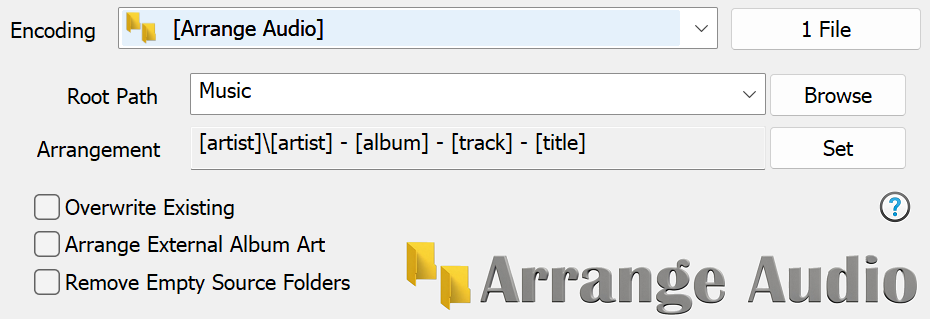
[MAXLENGTH]80,[IFVALUE]album artist,[album artist],[IFCOMP]Various Artists[][IF!COMP][artist][][][]\[MAXLENGTH]80,[album][][IFMULTI], Disc [disc][]\[MAXLENGTH]80,[track] [artist] - [title][] the default naming string used by CD Ripper, this places compilations into a Various Artists folder, non compilations are placed into either an Album Artist, or Artist folder (if no album artist). An Album folder is always created and tracks are named by track # - artist - title.
[artist]\[artist] - [title] each audio file is placed into an Artist folder, and the filename is renamed, example: Madonna\Madonna - Holiday.mp3
[extension]\[origfilename] filenames are preserved, audio files place in folders relating to their type. example mp3\Original Filename.mp3
audio_quality]\[origfilename] places audio files into folders representing their apparent quality, example Lossy (Medium)\Original FIlename.mp3
[origpath]\[origfilename] - [k_bitrate] kbps files are kept in their same folders, same filenames except the bitrate is added to end of filename, example Original Filename - 128 kbps.mp3
[TRIMLASTFOLDER][origpath][]\[UPPER][title][] takes the original path and removes the last folder. Takes the title id tag and uppercases it.
Copyright © illustrate 2026, All Rights Reserved