dBpoweramp Music Converter { Help Index > AIFF Codec }
AIFF is an audio format typically used on Apple computers, there are two types of AIFF files: AIFF linear (uncompressed) & AIFC (compressed), AIFF uncompressed is the most common.
AIFF files created with this codec contain linear uncompressed audio, making this a lossless codec. This codec cannot decode or encode AIFC files.
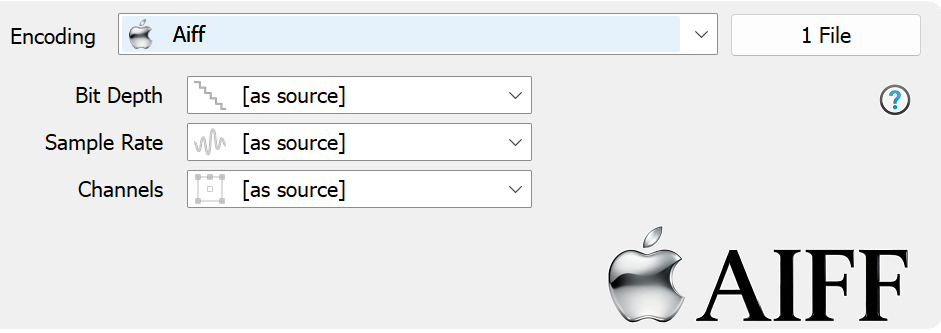
Setting bits, channels and frequency to [as source] ensures the wave file matches the quality of the source.
Codec Background
AIFF (Audio Interchange File Format) is a professional-grade, high-fidelity audio file format developed by Apple Inc. in 1988. It is primarily used for storing uncompressed, lossless audio data, ensuring that the sound quality is identical to the original recording. Because it is designed to be lossless and uncompressed, AIFF files are quite large, taking up significantly more space than compressed formats like MP3.
The extension for this file type is ".aif" of ".aiff" when it is used on a PC. On a Mac, the file extension is not needed. A Mac file uses a Type and Creator resource to identify itself to the operating system and the applications that can open it, for compatibility .aif is used.
An AIFF file contains the raw audio data, channel information (monophonic or stereophonic), bit depth, sample rate, and application-specific data areas. The application-specific data areas let different applications add information to the file header that
remains there even if the file is opened and processed by another application. For example, a file could retain information about selected regions of the audio data used for recalling zoom levels not used by other applications.
The AIFC variation of the AIFF specification was conceived to allow compressed audio to be contained within AIFF files. A number of platform specific compression formats were allowed, which have since been superseded by more efficient compression methods such as MP3, WMA,OGG, etc..
ID Tag Details
ID3v2 tags are written, with full compatibility with iTunes and the Apple eco-system.
Command Line [Windows]
dBpoweramp Reference allows compressions from the command-line, commands specific to this codec:
-bits="8" sets the bit depth to 8 bits. Possible values are 8, 16, 24, 32.
-freq="8000" sets the sample rate to 8kHz. Possible values are: 8000, 11000, 12000, 16000, 22050, 24000, 32000, 44100, 48000, 96000, 192000
-channels="1" sets the number of channels to 1. Possible values are 1 to 8.
TerminologyEncoding: compress and write audio track, Decoding: uncompress and read the track, ID Tags: meta data such as artist & album are embedded inside the audio file, Lossless: compression without audio quality loss, Lossy: audio quality is sacrificed (how much depends on bitrate and codec used) to achieve smaller files, Gapless: allows the decoder to decode audio stream without gaps (silence).